 BUY NOW, PAY LATER. Starting at 0% APR


Can Am Shift-Tek Secondary Clutch Tools
Can Am Shift-Tek Secondary Clutch Tools
In the box
Parts and tools

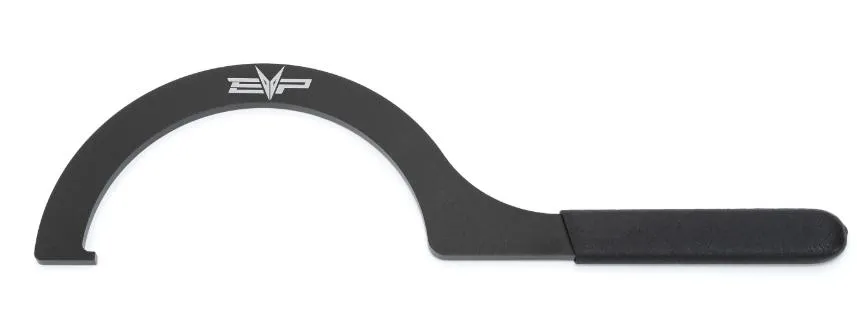
Included parts
- Helix Wrench
- Secondary Holder
(Optional)
- EVP Belt Changing Tool
Required tools
- Belt Changing Tool
- M6 Allen Socket
- Ratchet
Procedure
Installation
- Step 1
Remove the CVT belt off the machine. Keep the secondary compressed using the OEM belt changing tool or EVP Quick Belt Changing Tool (4002010007).
- Step 2
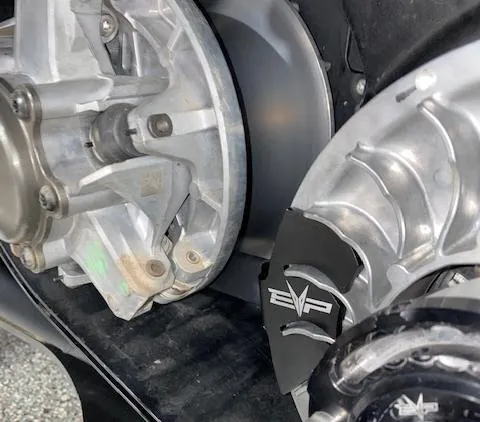
Install the secondary holding tool onto the secondary, align the tool in between the fins. Allow the handle to rest against the primary bearing.
- Step 3
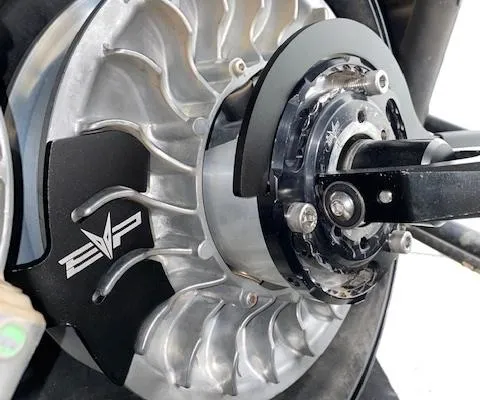
Install the helix wrench into a slot around the Shift-Tek helix cap.
- Step 4
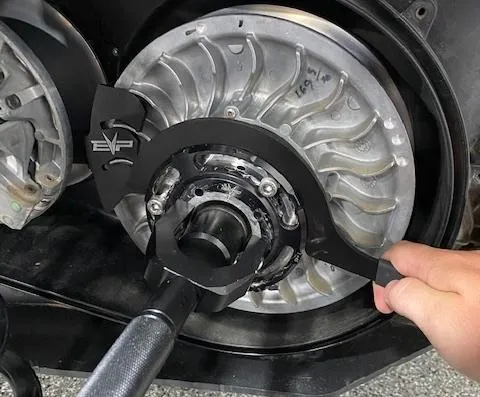
Loosen all (3) M6 Allen head cap screws (do not remove). Apply pressure onto the helix wrench. You can now turn the helix cap to add or subtract torsion pressure on the spring. Once complete tighten the (3) M6 Allen head cap screws.
- Step 5
Remove the helix wrench and secondary holder. Install the belt back onto the clutches. Remove the belt changing tool and spin the secondary a total of 5 times.
Need technical support?
Submit a ticket with your vehicle and what you're seeing, and our support team will get back to you.
