 BUY NOW, PAY LATER. Starting at 0% APR


Can-Am X3 Clutch Cover Quick Change Pin Kit, 4 Lanyard
Installation instructions for the X3 Clutch Cover Quick Change Pin Kit, 4 Lanyard on the Can-Am Maverick X3 (SKU 404FC0005). Parts, tools, and full procedure.
In the box
Parts and tools
Included parts
- 1Quick Change Pin Kit
Required tools
- Rivet Gun
- 1/8” Drill Bit
Procedure
Installation Steps
- Step 1
Remove clutch cover
- Step 2
Install one pin in each screw hold on the housing. Screw them in until you can no longer see the threads on the pin.
- Step 3
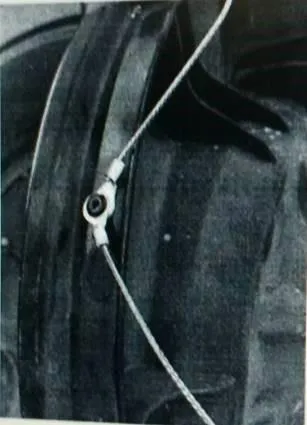
On the flat spot on the cover, mark your holes centered between two pins for drilling. You should use one rivet for two leashes. See picture below.
- Step 4
Remove the cover and using a 1/8” drill bit to drill your holes.
- Step 5
Use a rivet gun to install 2 leash per hole. Use provided washers on the back of the rivet, so it does not pull through the plastic.
Need technical support?
Submit a ticket with your vehicle and what you're seeing, and our support team will get back to you.
