 BUY NOW, PAY LATER. Starting at 0% APR


Polaris Pro XP & Turbo R Clutch Cover Spacer Kit
Installation instructions for the Pro XP & Turbo R Clutch Cover Spacer Kit on the Polaris Pro XP (RZR) (SKU 404FP0046). Parts, tools, and full procedure.
In the box
Parts and tools
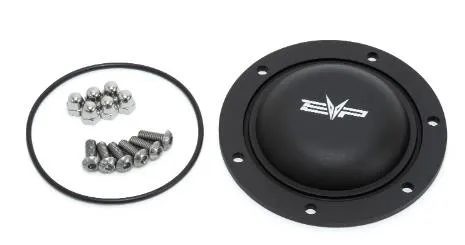
Included parts
- 1Clutch Cover Spacer
- 2O-Ring
- 6M6 Stainless Cap Nyloc Nut
- 6M6 Stainless Screw
Required tools
- 3 1/4" Whole Saw, Drill
- 10mm Open End Wrench
- Small Torch
- File
- M6 Allen Wrench
Procedure
Installation
- Step 1
Remove your clutch cover from the vehicle. Locate the center hole on the primary clutch, on the cover. With a 3 1/4" (83mm) hole saw, place the drill bit into the center point of the clutch cover.
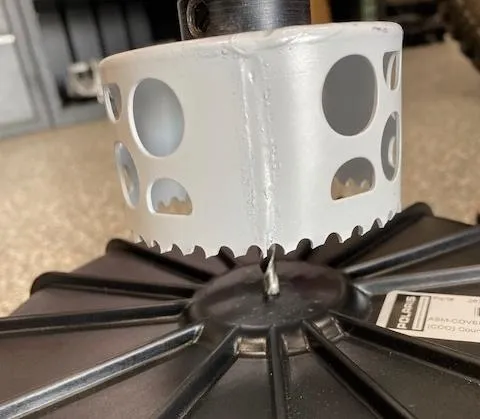 Note
Drill careful and straight.
- Step 2
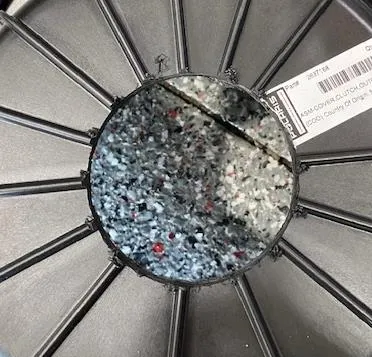
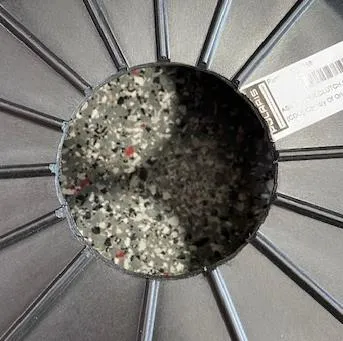
Once the hole is drilled. Use a file and debur the plastic. Do not use the file aggressively or make the hole size any larger. Once complete use a torch and lightly go around the edges of the hole, making it look shiny.
- Step 3
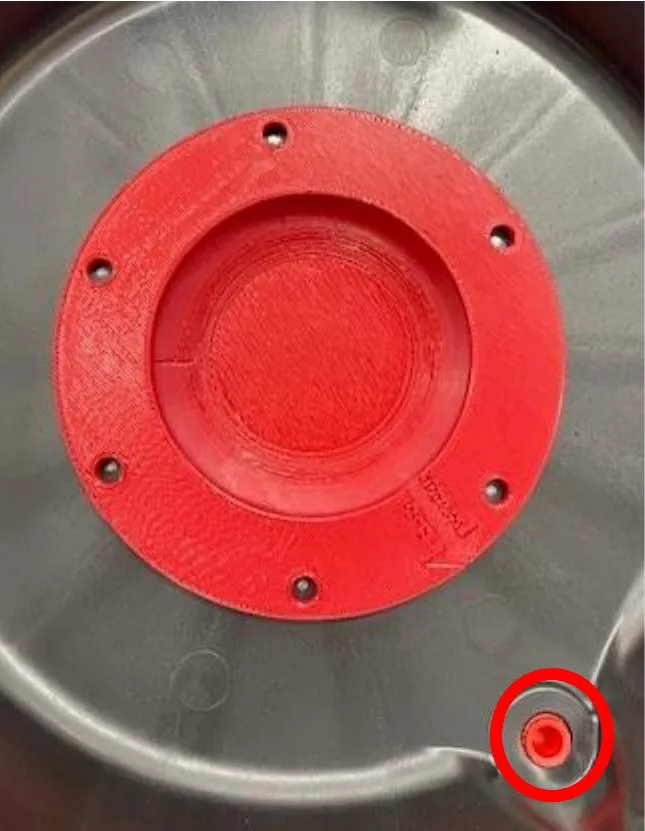
Flip the cover around and place the EVP cover shim inside the hole. Make sure the O-ring is installed between the shim and cover. Align the arrow to the drain plug (see photo). The holes on the shim need to be aligned between the cover supports (on the outside of the cover). You may need to align the shim a few millimeters left/right. Once perfectly align, grab a silver sharpie, and mark each hole.
- Step 4
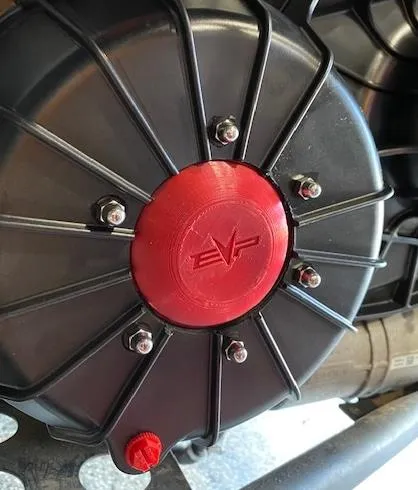
With a 1/4" drill bit drill through the shim into the black plastic cover. Place a screw from the inside out. Place a cap nut on the screw from the outside of the cover and hand tighten. Align the shim between each cover support so the nut won’t hit. Follow this step for the next (5) holes. Once complete tighten each screw and nut.
- Step 5
Install the cover back onto the vehicle.
Need technical support?
Submit a ticket with your vehicle and what you're seeing, and our support team will get back to you.
