 BUY NOW, PAY LATER. Starting at 0% APR


Polaris Pro XP EVP Shift-Tek Billet Clutch Cover
Installation instructions for the Pro XP EVP Shift-Tek Billet Clutch Cover on the Polaris Pro XP (RZR) (SKU 401FP0014). Parts, tools, and full procedure.
In the box
Parts and tools
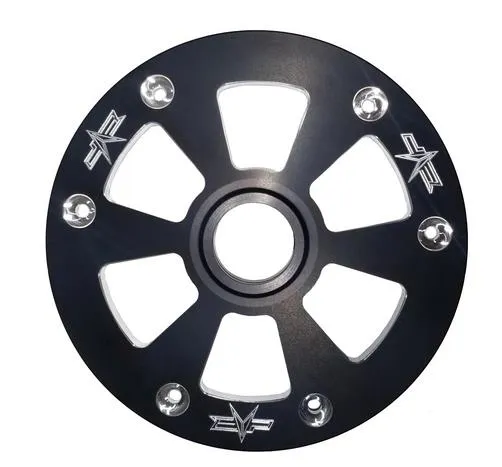
Included parts
- 1EVP Billet Clutch Cover
Required tools
- Torque Wrench
- 10mm Socket
Procedure
Installation
- Step 1
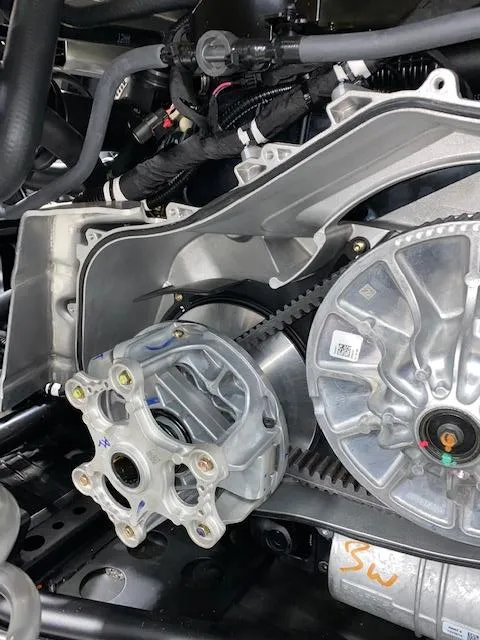
Remove the primary and secondary outer cover. Locate the primary clutch.
- Step 2
Loosen all (6) M6 primary clutch cover bolts. Only take (3) all the way out.
WarningApply pressure to the primary clutch cover when removing the last (3) bolts.
- Step 3
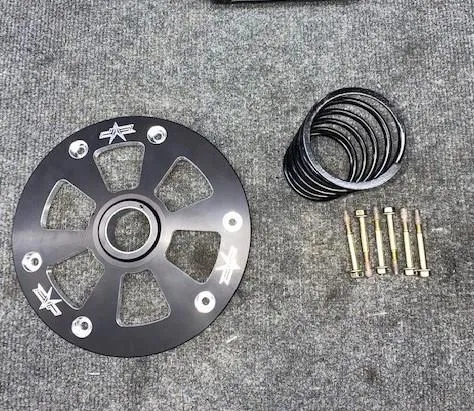
You will reuse the (6) OEM M6 bolts with the EVP Shift Tek Billet Cover.
- Step 4
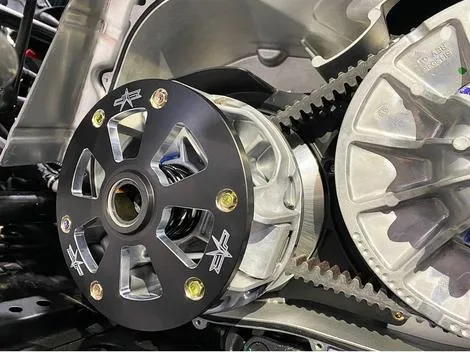
Torque the M6 bolts down to 100 in-lbs (8.3 ft-lbs).
- Step 5
Install the primary and secondary outer cover.
Emissions notice. This product is exempt from the emission standards and related requirements of 40 C.F.R. § 1051 as provided by 40 C.F.R. § 1051.620, and California law [e.g., vehicle code §§ 27156 and 38391]. This product is sold only for use in connection with EPA certified, purpose-built, nonroad vehicles used solely for closed course, nonroad competition/racing and not used for any recreational purpose or on public highways or right of ways maintained by and open to the public. This product is sold only in connection with machines that do not fall under state and/or federal noise or emission standards/regulations. Purchasers who/that purchase this product represent and warrant that the product is purchased only in connection with EPA-certified, emission-regulations-exempt and noise-regulations-exempt competition/racing vehicles as interpreted under applicable state and/or federal law.
Need technical support?
Submit a ticket with your vehicle and what you're seeing, and our support team will get back to you.
