 BUY NOW, PAY LATER. Starting at 0% APR


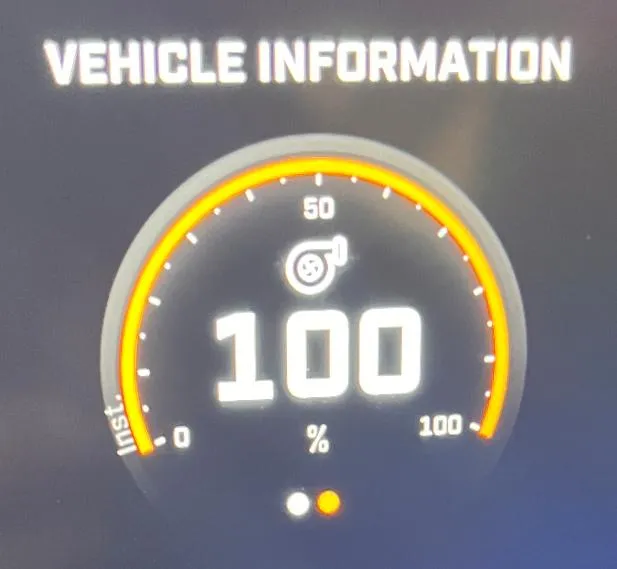
The flex fuel percentage will be displayed on this gauge located on the center console.
Can-Am 2024+ Maverick R & Maverick R Maxx Flex Fuel Display
Installation instructions for the 2024+ Maverick R & Maverick R Maxx Flex Fuel Display on the Maverick R (Can-Am).
Reference
How to navigate the console to display flex fuel percentage
The vehicle does not typically display this gauge by default.
Ensure your vehicle:
- The ECU has an EVP unlock
- The vehicle has been flashed with EVP flex fuel tune.
- The EVP flex fuel module has been correctly installed.
Reference
How this works
The dial will give a live output from zero to one hundred. This is the measured ethanol content at the in-line fuel sensor. It can take a minute for the ethanol in the tank to reach the sensor.
Reference
Finding the gauge
First get to the gauge display.
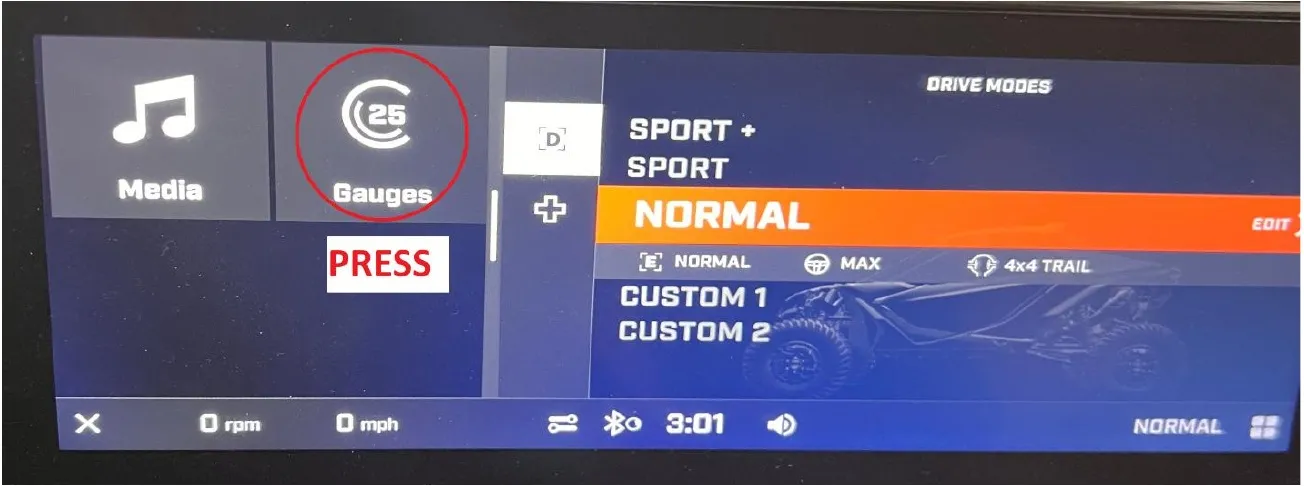
Press the Gauges button.
Second show the full gauge display.
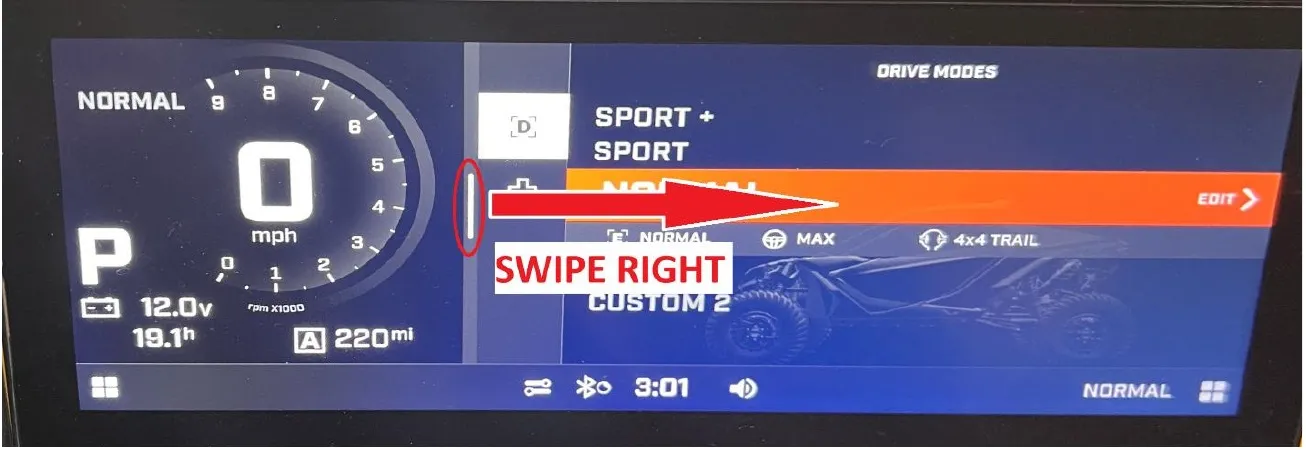
Swipe the vertical white bar to the right to show the full gauge display.
Third change the vehicle information to display the correct gauge.
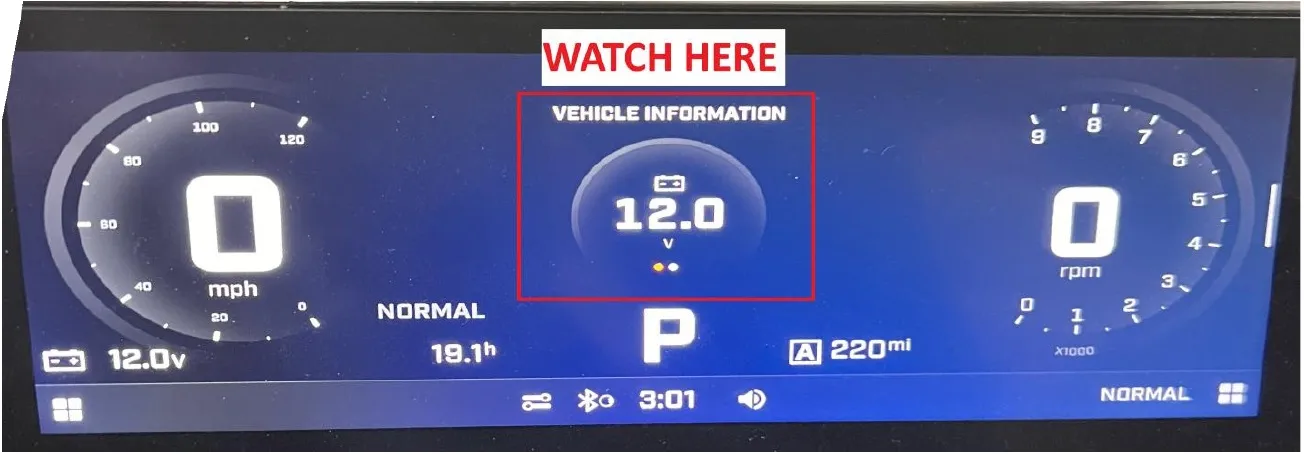
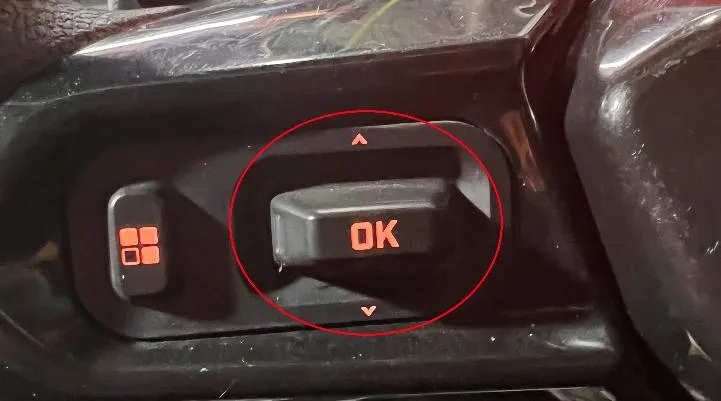
By pressing up or down on the toggle located on the left side of the wheel this center gauge will switch between battery voltage and the flex fuel gauge.
The Center display should look like the following pictures. The value should quickly display the correct ethanol percentage after a couple seconds.

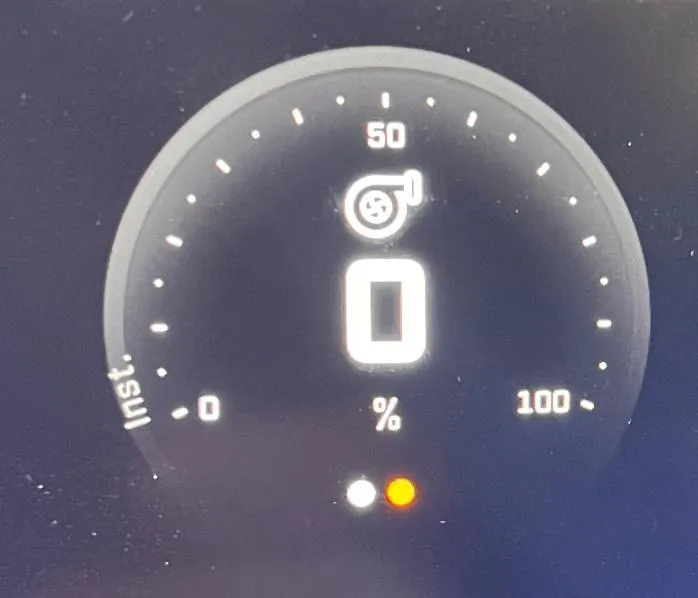
If the value is flashing between zero and one hundred then there is an error with reading the ethanol content. The vehicle will reduce power to prevent engine damage. Recheck that the sensor and wire harness are installed correctly.
Emissions notice. This product is exempt from the emission standards and related requirements of 40 C.F.R. § 1051 as provided by 40 C.F.R. § 1051.620, and California law [e.g., vehicle code §§ 27156 and 38391]. This product is sold only for use in connection with EPA certified, purpose-built, nonroad vehicles used solely for closed course, nonroad competition/racing and not used for any recreational purpose or on public highways or right of ways maintained by and open to the public. This product is sold only in connection with machines that do not fall under state and/or federal noise or emission standards/regulations. Purchasers who/that purchase this product represent and warrant that the product is purchased only in connection with EPA-certified, emission-regulations-exempt and noise-regulations-exempt competition/racing vehicles as interpreted under applicable state and/or federal law.
Need technical support?
Submit a ticket with your vehicle and what you're seeing, and our support team will get back to you.
