 BUY NOW, PAY LATER. Starting at 0% APR


CodeShooter Not Detected in the App: Soft Reset
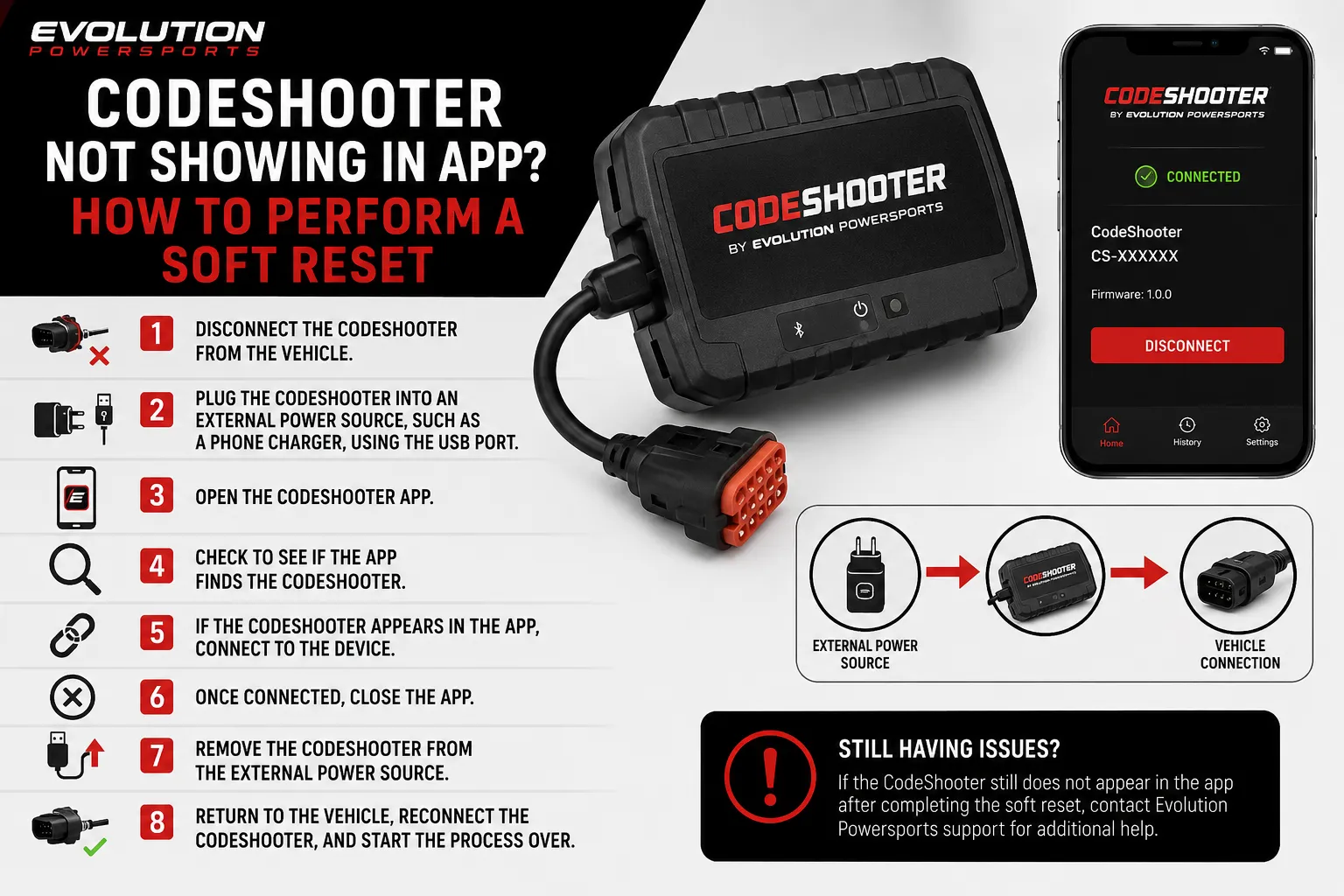
If the app never finds your CodeShooter when it's plugged into the vehicle, a soft reset on external power usually brings it back.
If you plug the CodeShooter into the vehicle and the app never finds it (often it sits on "server connected, searching for device"), a soft reset on external power will usually bring it back.
Do a soft reset
- Disconnect the CodeShooter from the vehicle.
- Plug it into an external power source, such as a phone charger, using the USB port.
- Open the app and see whether it finds the CodeShooter.
- If it does, connect to the device.
- Once connected, close the app, unplug the device from power, return to the vehicle and start the process over.
Tip
Check your cable before anything else. A USB-C cable without data transfer will charge the device but never connect it. One customer chased this for a while before swapping to a known data cable, which fixed it immediately.
If the soft reset doesn't work
- If the device shows as "Unfabricated", or the light blinks any shade of purple, use the recovery tool instead: see CodeShooter Unfabricated or Purple Light Recovery.
- If you get error code 831, that's a communication fault between the ECU and the device, and it's handled differently: create a support ticket with your CodeShooter's serial number and the vehicle's VIN.
- Otherwise, create a support ticket with your CodeShooter's serial number and what the app shows.
Need technical support?
Submit a ticket with your vehicle and what you're seeing, and our support team will get back to you.
