 BUY NOW, PAY LATER. Starting at 0% APR


Can-Am Maverick R Shift Light Gauge Bezel
Maverick R Shift Light Gauge Bezel
In the box
Parts and tools
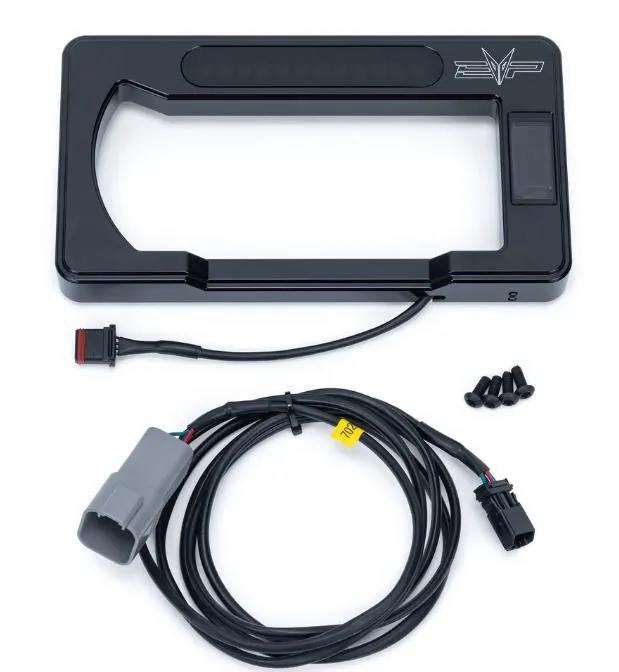
Included parts
- 1Billet Gauge Bezel
- 1Hardware Kit
Required tools
- 10mm Socket
- T-20, T-25, T-30 Socket
- Side Cutter
Procedure
Installation
- Step 1
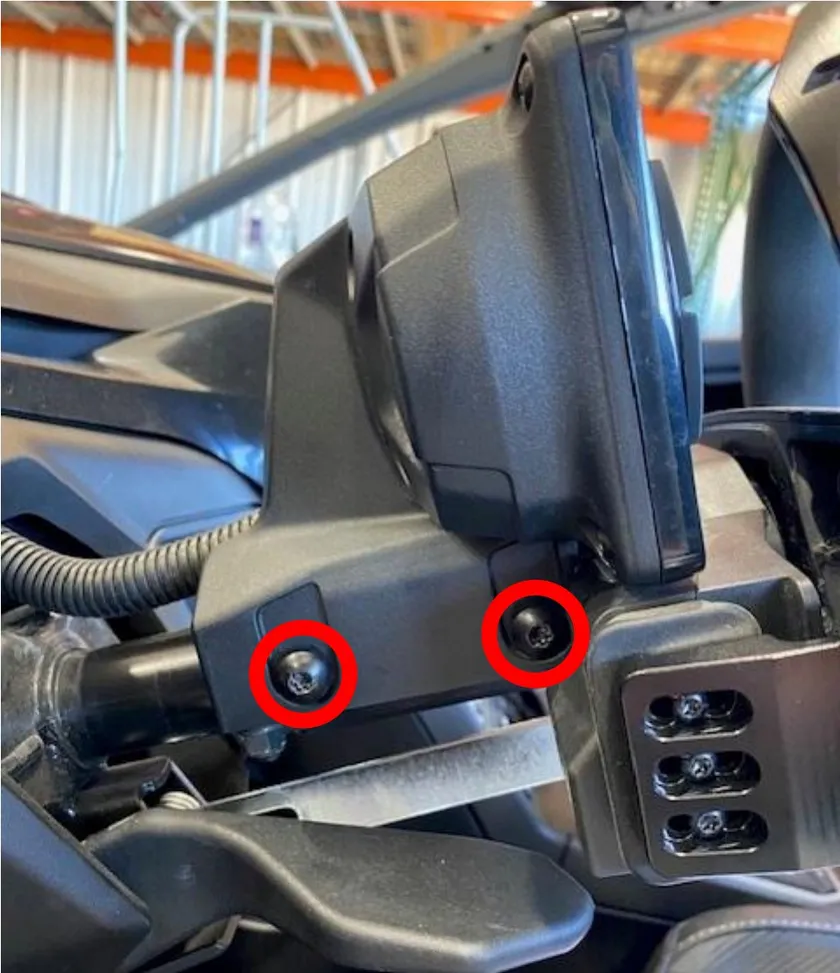
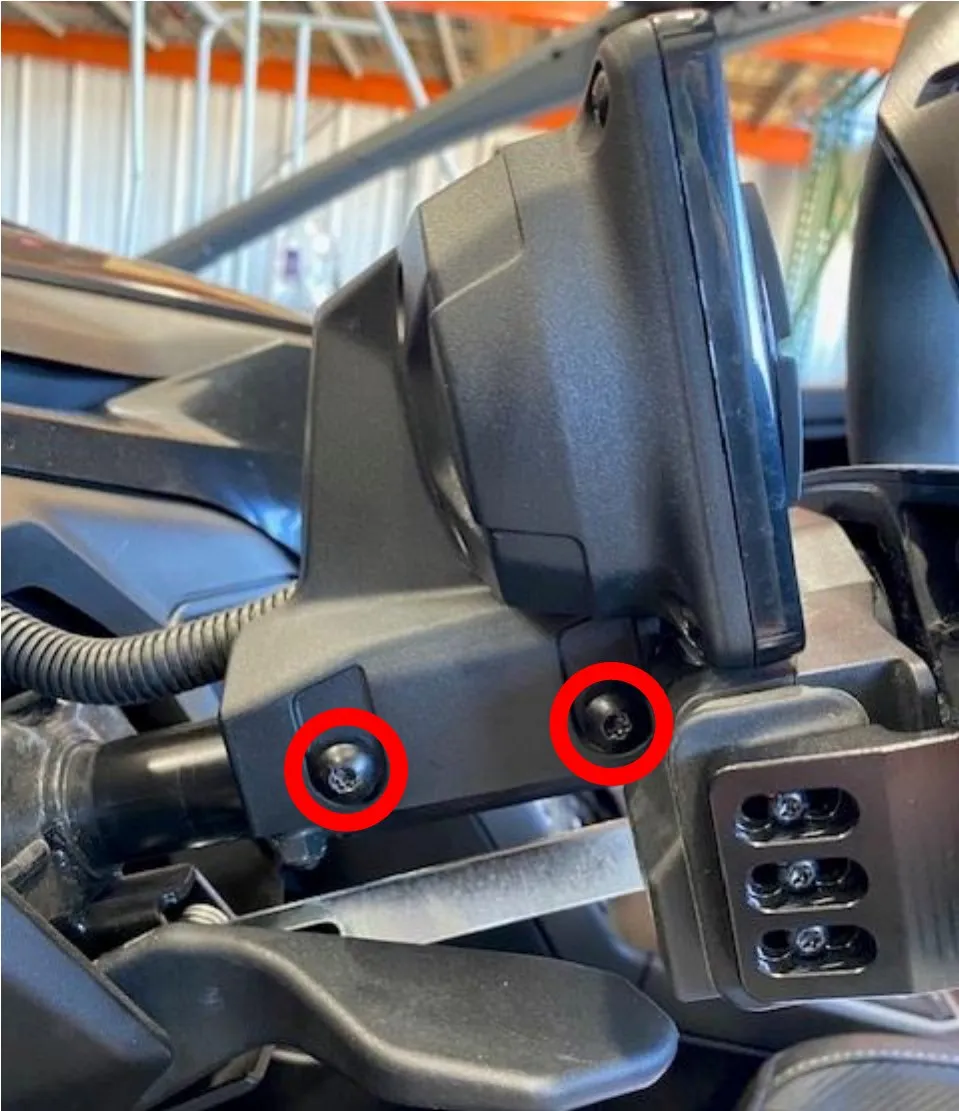
Remove (4) T-30 screws holding the gauge cluster to the steering rack.
- Step 2
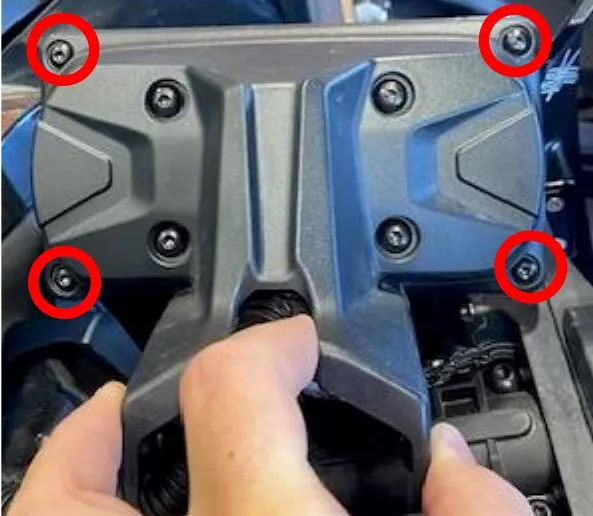
Remove the (4) T-20 outer screws holding the plastic gauge bezel to the cluster
- Step 3
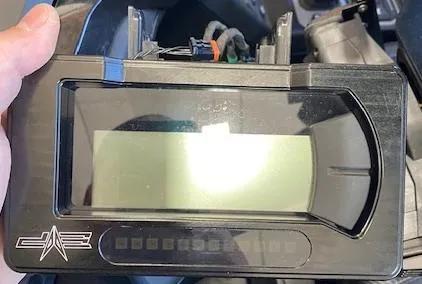
Remove plastic gauge bezel. Install the billet gauge bezel, fasten with supplied hardware. Don’t over tighten. (These photos were taking working upside down.)
- Step 4
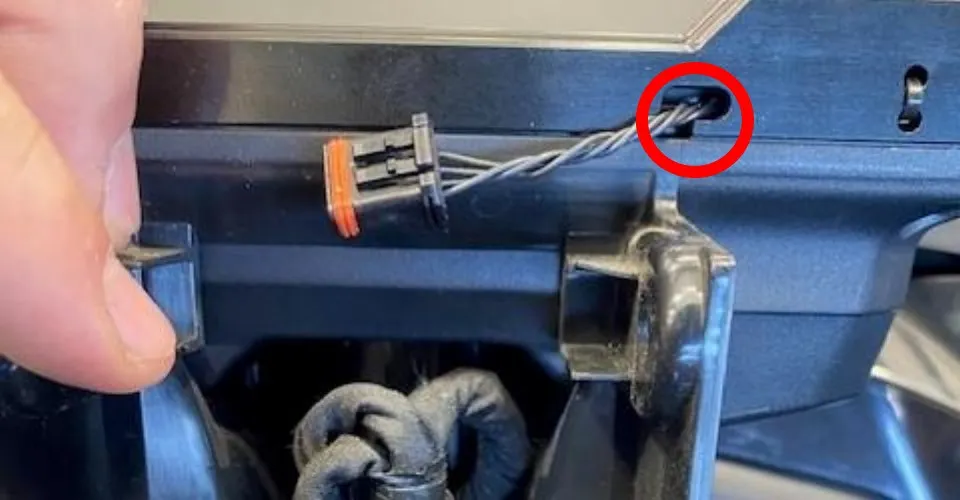
Let the pigtail wire hang through the hole on the bezel.

- Step 5
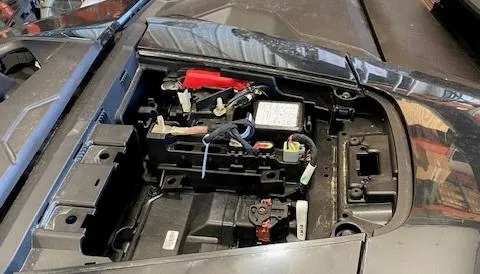
Remove the upper dash compartment. (If it hasn’t already fallen off).
- Step 6
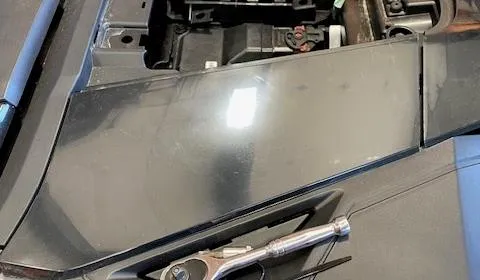
Remove the driver side trim panel. Pull out of (4) clips.
- Step 7
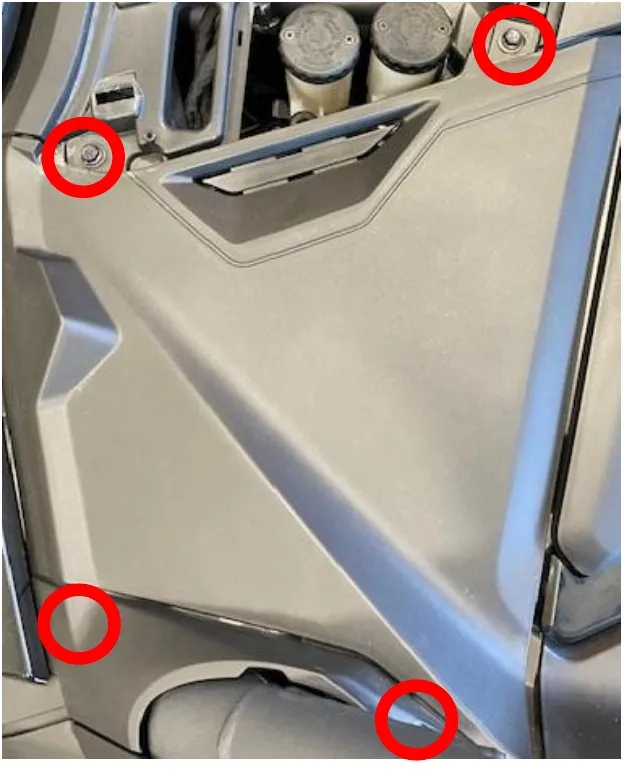
Remove the driver side upper dash panel. Remove (3) 10mm, (1) T-25, (1) T-30 screws.
- Step 8
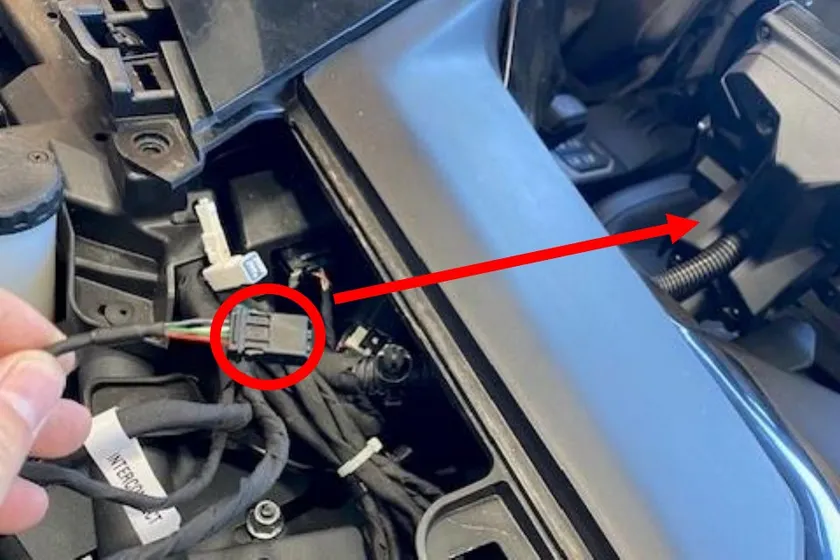
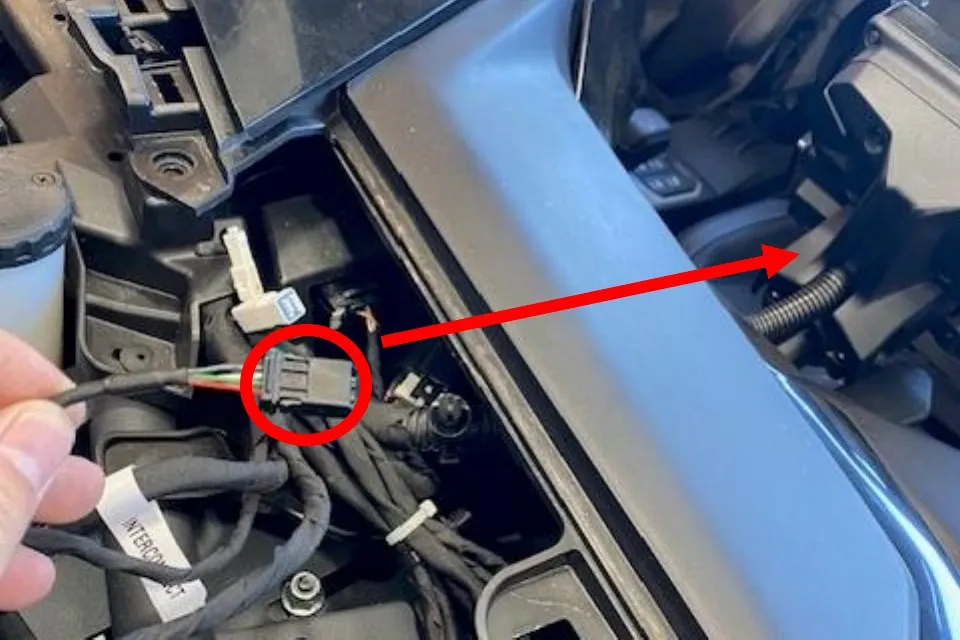
Feed the small connector on the harness, under the dash, towards the gauge bezel.
- Step 9
Connect the harness to the gauge bezel. Pull some slack and zip tie the harness underneath the gauge cluster.
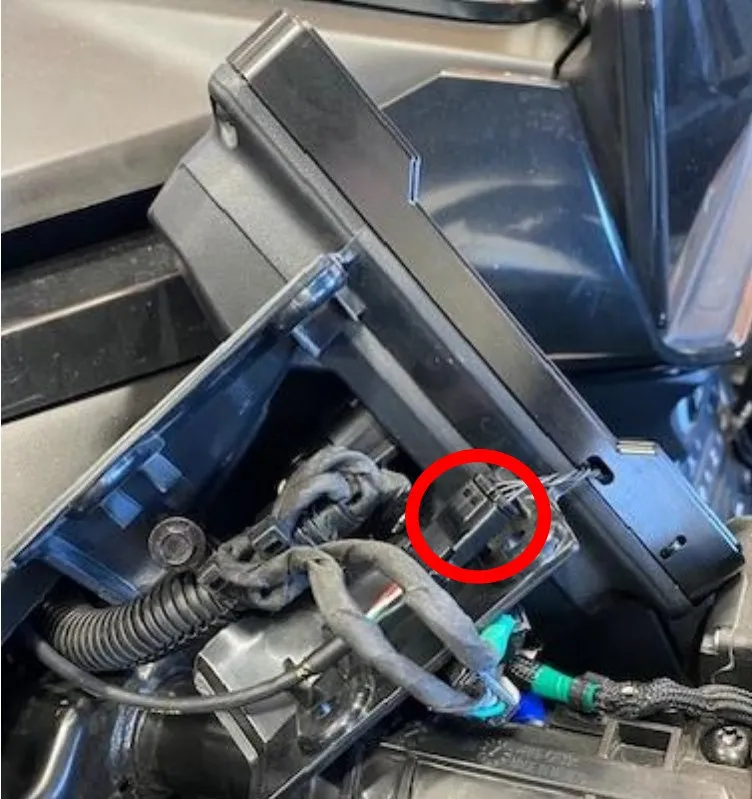
- Step 10
Route the other end of harness towards the diagnostic port, coil up access wire and zip tie.
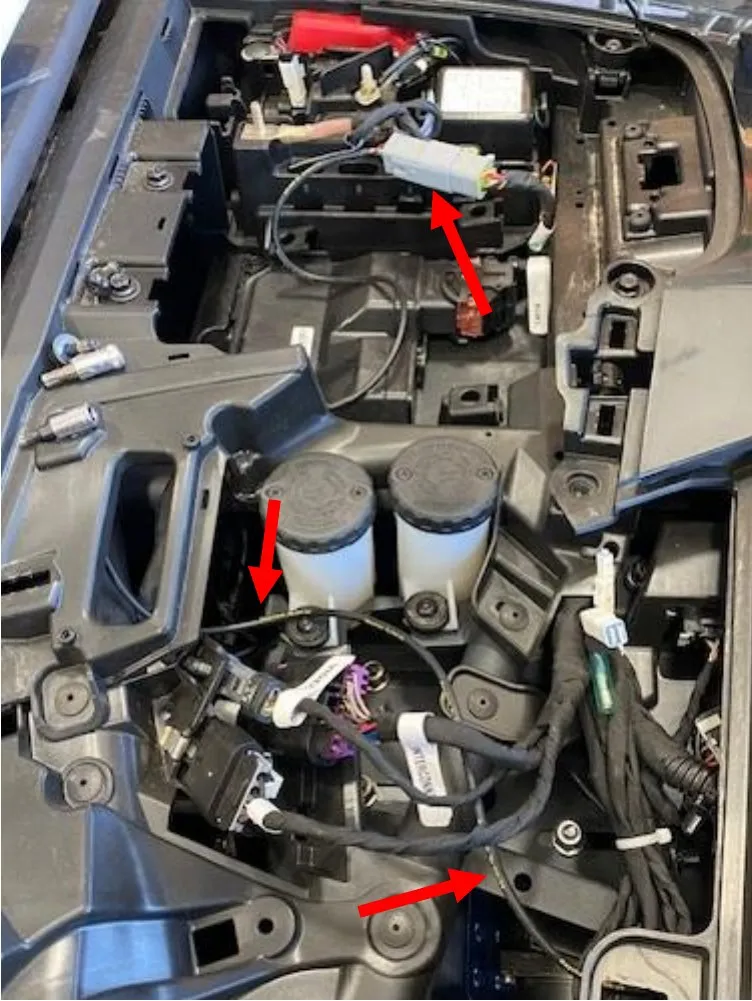
- Step 11
Reinstall in reverse order.
Need technical support?
Submit a ticket with your vehicle and what you're seeing, and our support team will get back to you.
